What’s inside: a mailto: link
An email code holds a mailto: link, the same kind web pages use for “email us” links (the format is RFC 6068). The simplest has only the address:
mailto:hello@cornercafe.comA subject and a body go after a question mark, joined by &. Spaces and punctuation are percent-encoded: a space becomes %20, a colon %3A, and a line break %0D%0A.
mailto:lostproperty@townhall.org?subject=Lost%20item&body=What%20I%20lost%3A%0D%0AWhere%20and%20when%3A%0D%0AHow%20to%20reach%20me%3AScanned, that opens a new message to the lost property address, with the subject “Lost item” and three prompts on separate lines for the sender to fill in. A good generator does the encoding for you; it only matters if you write the link by hand.
When an email code beats a form
An email code needs no website, no form builder and nothing to maintain. It is the better choice when:
- You want to reply. The sender’s address arrives with the message, so you answer in the same thread.
- People may want to attach a photo: of the lost umbrella, the broken tap, the receipt. Mail apps make attaching easy; many simple forms don’t.
- Volume is low, a few messages a week, read by one person.
A form is better when:
- you need structured answers, such as ratings, dates or order numbers, or want to count responses;
- people should be able to stay anonymous, because an email always shows the sender’s address, which matters for honest feedback;
- several people share the work, or messages need routing;
- your audience is likely to be on shared or work devices without their own mail set up.
Length limits and density
The mailto standard sets no length limit, but a QR code has one, and percent-encoding inflates text: each space takes three characters, an accented letter six. Here is how the examples above compare:
| Content | Characters | Code version (modules) | Smallest print |
|---|---|---|---|
| Address only | 27 | 3 (29 × 29) | 2 cm |
| Address and the subject “Feedback: table 12” | 60 | 5 (37 × 37) | 2 cm |
| Address, subject and three prompt lines | 133 | 10 (57 × 57) | 4.5 cm |
The three short prompts more than doubled the smallest size, because they pushed the code past 57 modules, where each module needs to print larger (0.75 mm rather than 0.5 mm) to scan reliably. A prompt or two is plenty.
The subject does the most work for its length. Put the context there, such as “Feedback: table 12” or “Room 214: problem”, and make one code per table, room or machine with its own subject. Every email then says where it came from, and your inbox can sort them.
On a phone with no mail app set up
This is the email code’s weak spot. Scanning hands the link to the phone’s default mail app, and what happens next depends on that phone:
- If the person uses a mail app such as Mail, Gmail or Outlook and it is set as the default, the message opens with everything filled in.
- If the default mail app has no account set up, it asks them to add one. Many people read email only in a browser and will stop there.
- On a phone with no mail app at all, the phone may offer to install one, or do nothing useful. An iPhone with Apple’s Mail app removed may offer to reinstall it.
So always print the address in text next to the code (“or email hello@cornercafe.com”), so people can write from whatever they use. For anything urgent, give a second route too: a phone number or a web form.
Good uses
- Feedback cards on tables, in hotel rooms or by a reception desk, with the location in the subject.
- Reporting problems in a building: one code per room, lift or machine, so the email names the asset. Facilities teams get fewer “the one on the second floor” messages.
- Lost and found at a venue, on a ferry or at a festival, with prompts for what, where and when.
- Labels on your own things: a sticker on a laptop, a camera bag or a set of keys, with the subject “Found: your camera bag”. Use an address you don’t mind a stranger seeing, because the finder’s mail app shows it.
- Enquiries about one item: a vehicle for sale, a piece in an exhibition, a stall’s commission work, with the item named in the subject.
The code shows your address to anyone who scans it, as surely as printing it would. Use a role address such as hello@ or lost@ rather than a personal one, so you can change where it goes without reprinting.
Print it and test it
Unless the body is long, email codes are small, so size them for the distance: about a tenth of it, so 3 cm on a table card read from 30 cm and 10 cm on a poster by a door. Then, before you print a batch:
- Scan the printed proof with an iPhone and an Android phone, and check the address, subject and body arrive as you wrote them, line breaks included.
- Send the test message and check it lands in the inbox someone actually reads, not in a spam folder.
- Try a phone whose mail app isn’t set up, so you see what those people see and know why the printed address matters.
- With several codes for different rooms or tables, scan each one: it is easy to print a file on the wrong card.
Make it in QR Island
In the studio, choose Email, enter one recipient address, and add an optional subject (one line) and message. The studio checks the address, percent-encodes the subject and the message, and writes line breaks the way mail apps expect. The size hint beside the message bar shows the smallest safe print width as you type, so you can watch what a longer message costs.
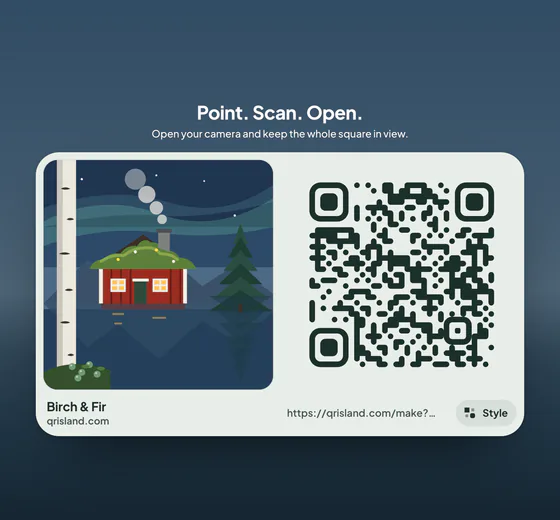
Pick a world, such as Birch & Fir, and press Get QR code for the flat code, with PNG and SVG downloads and the free print sheet. Free codes are made in your browser, nothing you type is sent to our server, and the code never expires. Because an email code isn’t a web link, it can’t be an Editable code: if the address changes, make a new code and reprint.