What you can change
Everything below is in the studio’s Style panel. Your design is used everywhere at once: on the island, on the flat code and in every download.
| Part | Options | Free? |
|---|---|---|
| Module shape | Square, Rounded, Dots, Diamond, Star, Heart, Fluid, Columns, Rows, Leaf, Cross | Yes |
| Corner frames (the three “eyes”) | Square, Rounded, Circle, Leaf, Cushion | Yes |
| Corner centres | Square, Rounded, Circle, Leaf, Diamond, Flower | Yes |
| Colours | Any colour for the code and its background | Yes |
| Logo | PNG, JPG, SVG or WebP up to 5 MB, 12–24% of the code’s width, on a square or circle plate or none | Yes |
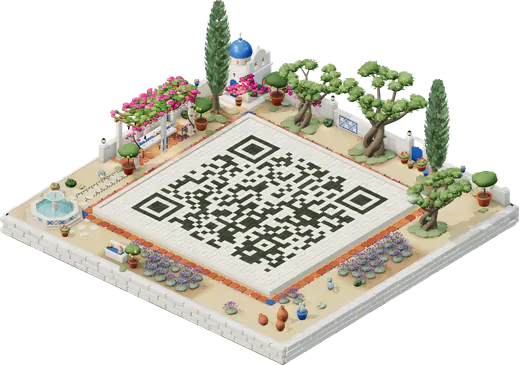
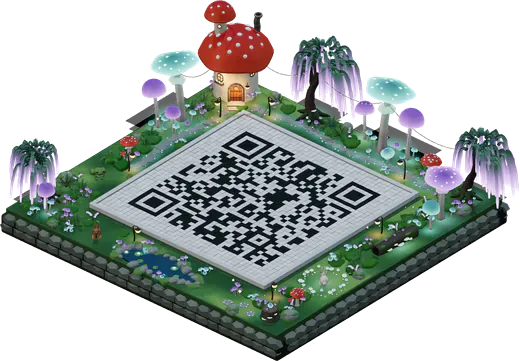
| Courtyard material on the island | Stone, Marble, Wood, Glass, Hedge | Yes |
| Gradients and “Scan me” frames | Colour gradients across the code, and a frame with a call to action | Island pack |
Design rules that keep a code scanning
A phone finds a QR code by its three corner squares, then reads the dark and light modules between them. Custom designs go wrong when they blur either of those. The rules, in order of how often they matter:
- Dark code, light background. Keep the code clearly darker than what’s behind it. A light code on a dark background is allowed by the standard, but some phones and scanner apps can’t read it. Our guide to QR code colours has the contrast numbers, tested in print.
- Leave the margin. The light border round the code, four modules wide, tells the phone where the code starts. Don’t crop into it or print over a busy picture.
- Airy shapes need more size. Dots, stars, hearts and other shapes with gaps between modules need about a centimetre more than plain squares to scan at the same distance.
- Corner eyes must stay recognisable. In a few frame styles the studio draws a centre a little differently, and says so, so that every phone still finds it.
- A logo needs level H and a modest size. Keep it to about a fifth of the width, on a plate, and never over the corner squares. Our guide to a QR code with a logo has the numbers.
- Test at the size you’ll print. A design that scans on a screen can fail at 2 cm on a card.
How the studio checks your design
Every colour is used exactly as you pick it. When a colour is light, or the code is lighter than its background, the Style panel warns you under it and suggests a darker shade of the same colour, or a swap, in one click. It’s your choice, but a design phones can’t read at all, such as very pale grey on white, waits for a change before you can download it.
A logo is fitted so it uses at most half of the error correction in each part of the code, keeping the rest for real-world smudges and glare, and the corner squares, timing lines and format areas stay clear. The size hint beside the message bar shows the smallest safe print width for your code in its current style, so a fancier shape shows its cost straight away.
How to design your code
- Open the studio and type your link, or choose another code type.
- Open Style and pick a module shape, then the corner frames and centres.
- Set your colours. Use your brand’s darkest colour for the code and a light one for the background.
- Add your logo with Add your logo, then set its size and plate.
- Press Get QR code to see the flat code, and download PNG or SVG. Scan the printed proof with two phones.
Free files and print files
Your custom design is free as a PNG (1024 px) and an SVG, with your logo, and a small “Made with QR Island” line under the code. The Island pack (US$6.99, once) gives you the same design as a 4096 px PNG, an SVG and a PDF print sheet with no credit, adds gradients and “Scan me” frames, and checks the design scans before you pay: every code file is decoded before it’s delivered. For big prints, our SVG QR code page explains what to send a printer.