

Help
Questions, answered.
How paying works, what each product includes, how Editable codes renew, and how to print a code that scans first time. All prices are on the pricing page.

Payments & what you get
What’s free, what the Island pack adds, and how paying works.
How does payment work?
Our order process is conducted by our online reseller Paddle.com, the merchant of record for all our orders: it sells on behalf of AVERKO AI, takes the payment, handles tax and sends your receipt. When you choose Pay, Paddle’s secure checkout opens over the page; pay by card or another method Paddle offers where you are, and your files appear as soon as the payment is confirmed. We never see or store your card details.
Prices are in US dollars, include any sales tax (such as VAT or GST) and are shown before you pay, and you tick “I agree” to the terms and refunds policy first. The charge appears on your statement as PADDLE.NET* followed by our name. Your bank may add its own foreign-transaction fee.
What do I get for free?
- Link, text, Wi‑Fi, contact, email, phone, SMS, WhatsApp, location and event codes, in any shape and eye style, on all 25 worlds.
- PNG and SVG downloads of your code in your style: your shapes, colours and logo, with a small QR Island credit line. They leave out the Island pack’s gradient and frame.
- A print sheet that lays your code out at true sizes on US Letter or A4, from its smallest safe size up.
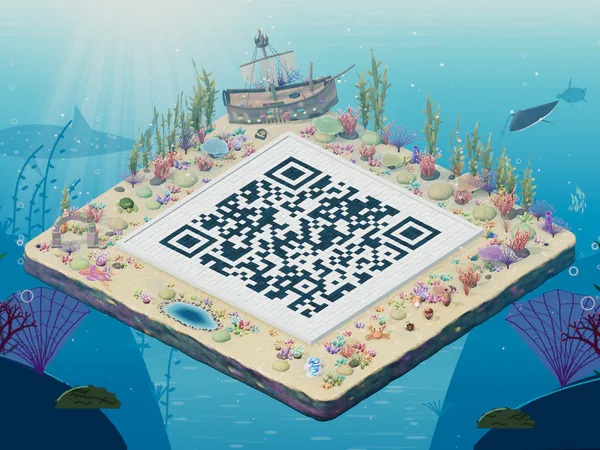
- A picture of your 3D island at screen size (1600 × 1200 px) for posts and websites, with a small “Made with QR Island” mark in the corner. The print sizes come with the Island pack.
Free codes are made in your browser and never expire.
What do I get with the Island pack (US$6.99)?
A one-time purchase for the island and the code you designed:
- Your island picture in print sizes, with no mark: Large print (3600 × 2700 px, 12 × 9 in or 30 × 23 cm), a portrait Poster (5400 × 7200 px, 18 × 24 in or 46 × 61 cm, a standard frame size) and a Wide poster (6000 × 4500 px, 20 × 15 in or 51 × 38 cm), at 300 dpi, from the view and backdrop you chose. The Poster is its own upright picture, framed for a poster with room above the island, not the Large print made bigger: your browser draws it right after payment, like the video. The Wide poster is the island picture you chose, landscape, at poster size. If your device can’t draw a poster at full size, that file is enlarged from a smaller picture of the same view.
- An island video: 12 seconds of your island slowly turning, as a vertical 1080 × 1920 MP4 for Reels, TikTok, Stories and WhatsApp Status. It ends on your code, so for a Wi‑Fi code the video and the island pictures hold your password: show them on a screen at your venue, not in public posts.
- Your code as print files: your logo, shapes, eye styles and colours, plus a gradient and a call-to-action frame if you add them, as a 4096 px PNG, an SVG and a PDF print sheet on US Letter or A4.
The code is checked to scan in your browser before you pay, and every code file is decoded on our server before delivery. The island picture is drawn in your browser when you check out and sent with your order; the Poster’s picture and the video are made right after payment. Files appear on screen straight after payment and in your email (download them one by one, or all at once as a zip), and the download link normally stays active for 90 days, so save them.
How is the island video made?
Your browser makes it just after payment, from your island, world and code, and adds it to your order, so you can download it again from your purchase link. Your island turns once round, then the video ends on your code, ready to scan, with no mark or logo of ours on it. Making it needs a recent Chrome, Safari or Edge: if your browser can’t, open your purchase link in one that can.
Changed your mind about the look?
Restyle your island once within 7 days of buying and get fresh files. Open your purchase link (in your receipt email, or under Saved in the browser you bought it on) and choose Restyle my island under your files. In the studio, pick a new world, backdrop or light, and a new code style or logo in the Style panel, then choose Use this look. Your Island pack files (the island pictures, the island video and the code files) are replaced by the new look, so save copies of any you want to keep. What your code holds stays exactly as you bought it. After the 7 days, or once you’ve used it, a new look is a new Island pack. An Editable code gets one island refresh every paid year instead (see Editable codes).
Where do I style my code?
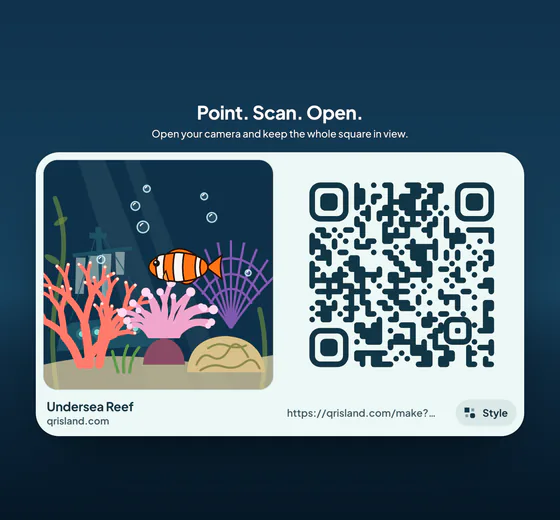
In the studio’s Style panel (the Style button at the top): shapes, colours, your logo, and the Island pack’s gradient and frame. It is the only place: your island, the flat code (Get QR code), every free download and the Island pack all use that one design. At checkout your style shows in one line, with a Change style button that takes you back to the panel and returns you to checkout.
Can I use my logo for free?
Yes. Add your logo in the Style panel: it shows on your island, and the free PNG and SVG carry it, with a small QR Island credit. The Island pack gives you the same design as print-ready files with no credit: a 4096 px PNG, an SVG and a PDF print sheet.
Do I need an account?
No. There are no accounts. Free codes need nothing at all. When you buy, the private link in your receipt email is your key: it opens your files and, for an Editable code, the page where you change where it points, see scans and manage the subscription. Keep it safe, because anyone with the link can use it. Lost it? Contact us from the email address you paid with and we’ll send a new one.
Is there a subscription?
Only for Editable codes: an Editable code is a yearly subscription that renews until you cancel, and you can cancel any time from its manage link. Island packs and sign packs are one-time payments.
Editable codes
A printed code you can point somewhere new, for US$19 a year. New ones aren’t on sale right now; these answers are for codes already bought.
What is an Editable code (a dynamic QR code)?
An Editable code (US$19 a year) prints a short link on our site that forwards to a web address you choose, and you can change that address at any time. The printed code stays the same; the change takes effect on the next scan. It includes the Island pack: your island in print sizes, the island video and the styled code files. Editable codes are for web links; Wi‑Fi, contact and event codes carry their content directly.
How do I change where it points?
Use the private manage link in your receipt email (it also opens from Saved in the browser you bought it on). Right after you buy, it opens with a short How editing works card (change it here, come back any time, keep the link private); Got it puts it away, and the link under the destination brings it back. It shows your code and its short link, the destination editor, a 30-day scan chart, the subscription (cancel or turn back on auto-renew, and update your card) and the print files. Paddle emails your receipts. Keep the manage link safe: anyone with it can change where your code points.
How do renewals work?
An Editable code renews automatically every year at the price you bought it for, until you cancel. Each year keeps your short link working and editable, its scan counts, and your Island pack files ready to download, and includes one island refresh (see below). Paddle charges the payment method you used, and we email you about 30 days before each renewal. To stop it, open the manage link and choose Cancel auto-renew: nothing more is charged and the code keeps working until the end of the year you paid for. Changed your mind? Turn auto-renew back on before then.
Can I give my island a new look later?
Yes: a fresh Island pack each year. Every paid year of an Editable code, the first one included, comes with one island refresh. Open your manage link, choose Restyle my island, then pick a new world, backdrop, light, code style or logo in the studio and choose Use this look. Your Island pack files (the island pictures, the island video and the code files) are replaced by the new look, so save copies of any you want to keep. Your short link, where it points, its scan counts and your printed codes don’t change. A refresh you don’t use doesn’t carry over; each renewal brings the next one.
What happens if I cancel or a renewal can’t be paid?
If a renewal payment fails, Paddle tries again for a short while; update your card from the manage link. Once the subscription ends, the code keeps forwarding for a 14-day grace period after the paid year. After that, scanning shows a page saying the code needs renewing. Starting a new yearly subscription from the manage link switches the same printed code back on. The print files stay downloadable while the code is active and during the grace period, so save them; a new subscription after that restores the link but not the files.
Are scan counts private?
Yes. When someone scans, we add one to that day’s total. We don’t store their IP address, device, location or browser, bots and link previews aren’t counted, and short-link visits aren’t written to our logs. Only you see the counts, through your manage link.
Can an Editable code point anywhere?
Not to anything unlawful, deceptive or harmful. Destinations are checked, and we may suspend a code at once, without refund, if it forwards to phishing, malware or similar. See the acceptable use rules in the terms.
How do I report a harmful code?
If a code made with QR Island (for example a short link starting qrisland.com/r/) leads to phishing, malware, a scam or anything else harmful, or misuses your work, email support@qrisland.com with the short link or a photo of the code, where you saw it and what is wrong. We look at phishing and malware reports first and can switch an Editable code off straight away. See reporting a code in the terms.
Island sign pack
A poster, flyers, a table tent, cards, stickers and screen pictures in all four styles, with one code on each, for +US$4.99.
What is the island sign pack?
An add-on (+US$4.99, paid once) to an Island pack or an Editable code, in all four styles (Postcard, Bold band, Cut-out and Classic): for each style, a printable PDF on US Letter or A4 with a poster, two flyers (cut one sheet in half), a folding table tent, four table cards, eight pocket cards and six round stickers, plus PNG pictures for screens: a story (1080 × 1920), a square post (1080 × 1080) and a slide for a TV or screen (1920 × 1080); a Wi‑Fi code gets the slide only, so its password isn’t posted. Every piece shows your island with your own code in its courtyard, and carries one code to scan. Where the island prints big enough and your code is short, the island itself is that code: every printed piece is checked at its own size with photos of a simulated print before you pay (in our tests an island read from about 10 cm wide at best: on the poster for most codes, and on the flyers and table tent for many). Every other piece adds one flat, verified code beside your island, never over its courtyard. For glossy or laminated prints, tick Flat code on every piece. You pick the style to preview and test-print before you pay, and one of three colours from your island for the words; the other three styles are drawn from the same island right after you pay (keep the page open a few seconds, or finish them later from your purchase link on the same device), each checked the same way. If your words or code are too long for a style’s pieces, the studio says so before you pay, and that style is left out unless you shorten them. Cut-out puts the island alone on white paper, which saves ink (handy for night worlds). For a Wi‑Fi code you can also tick four Wi‑Fi cards that also print the network name and password. Pocket cards and stickers are included when your code can be printed at its minimum size on them, so a very long code may leave them out.
Can I change the words?
Yes. Pick a template (Wi‑Fi, Menu, Event or “Scan me”) and edit the headline (up to 40 characters) and the line under the code (up to 80). The PDF prints letters, numbers and common punctuation, so emoji aren’t supported.
How should I print it?
Print at 100% scale (“actual size”) on matte paper or card; gloss and lamination can glare under café lights, and an island used as the code needs matte paper most of all. Printing on gloss? Choose Flat code on every piece. Test the printed code with a couple of phones before you print a batch.
Refunds
Our print promise, and when we refund.
Can I get a refund?
- Our print promise: if your printed code won’t scan, and you printed it at or above a size we recommend (the studio’s size hint, or any size on your print sheet or PDF), at 100% scale with its white border on plain or matte paper, tell us within 14 days with a photo of the print. We’ll fix the file or refund you in full, including a sign pack bought with it.
- If the files are missing, damaged or not as described, tell us within 14 days and we’ll fix it or refund you in full.
- If you were charged twice, we refund the duplicate.
- Changed your mind? If you haven’t downloaded anything yet, ask within 14 days. Files are delivered straight away, so we don’t otherwise refund an Island pack once anything from it is downloaded. Changed your mind about the look? Every Island pack includes one free restyle within 7 days.
- An Editable code’s first year can be refunded within 14 days of paying if the code hasn’t been scanned yet, and a renewal within 14 days of the renewal charge; the subscription is then cancelled and the code stops forwarding. Part-used years aren’t otherwise refunded (in the EU or UK, cancelling within 14 days after a scan refunds the price less the days it was active).
- An island sign pack is refunded with the code it came with, on the same terms. If only the sign pack is faulty, we fix it or refund the add-on.
These promises are in addition to your rights under consumer law. Refunds are issued by Paddle, our merchant of record, to your original payment method; your bank may take several business days. The full policy is on the refunds & delivery page.
Privacy
What stays in your browser, and the little we keep.
What happens to what I type?
For free codes, everything you type (links, Wi‑Fi passwords, contact details) is processed only in your browser and never sent to our server. We use no ad trackers and set no cookies for visitors.
What do you store when I buy?
To make an Island pack, your browser sends our server the code’s content, style choices, logo, the island picture it drew, and your email address; after payment it also uploads the island video it made. The content, logo, island picture and video are encrypted at rest and deleted when the download period ends (normally 90 days). We keep the order record (reference, amount, status, date, email) for accounting. Paddle, our merchant of record, handles your payment details under its own privacy policy; its checkout loads only when you choose to pay.
Do you track visitors?
We count a few anonymous actions, such as a visit, choosing a world or code type, or starting a checkout, as daily totals only: no cookies, identifiers, IP addresses or browser details. If your browser sends Global Privacy Control or Do Not Track, nothing is counted at all. Details are in the privacy policy.
Scanning tips
How to print a code that scans first time.
Guides: QR code size for printing QR code colours that scan How to make a Wi‑Fi QR code
Where do I get the flat code to scan and print?
Press Get QR code, the button in the message bar under your island. It opens Your code: your QR code, with its free files under Free. Download your code as PNG or SVG, copy or share it, open the free Print sheet, or save the Island picture. A link can be changed right there, in Your link. The download button beside Get QR code saves the PNG in one tap. Full screen shows your code flat and glare-free on a card, in your world’s colours, ready to scan straight from the screen. Close the box (or press Esc) to go back to your island.
How big should I print it?
It depends on how much the code holds: the more it encodes, the more (and smaller) squares it has. A short link or a Wi‑Fi code can print as small as 2 cm wide; a full contact card with an address needs about 5–6 cm, and a very long link 8 cm or more. Airy module shapes such as dots, stars or hearts need about a centimetre more than squares. QR Island works this out for your code and its style: the size hint beside the message bar shows its smallest safe width, and the free Print sheet (in Get QR code) lays it out at true sizes from that minimum up, each with roughly how far away it scans. For a wall, window or poster that people scan from further away, go bigger: roughly a tenth of the scanning distance works well (about 10 cm wide for 1 metre). Always test a printed proof with two different phones before printing many.
What else helps it scan?
- Contrast: a dark code on a light background scans best. Every colour is used exactly as you pick it, on your island, the flat code and every file. When a colour is light (or the code is lighter than its background), the Style panel warns you under it and suggests a darker shade of the same colour (or a swap) in one click. It’s your choice: test with your phone before printing. Only a design that phones can’t read at all, such as very pale grey on white, waits for a change before you can download or buy it.
- Border: leave the white margin around the code; don’t crop into it or print it over a busy picture.
- Surface: matte beats glossy; avoid folds and curved bottles for small codes.
- Test before printing: scan a printed proof with an iPhone and an Android phone, from the distance people will really stand.
Why does my phone show text instead of joining the Wi‑Fi or adding the event?
Some older phones and scanner apps don’t understand every code type. The built-in camera on recent iPhones and Android phones handles Wi‑Fi, contacts and links. For events, a Link code to an event page is the most dependable choice.
On Android, a Wi‑Fi code can also be scanned from the Wi‑Fi settings (the QR icon), or with the camera app. Your island shows a Wi‑Fi code square on, for that settings scanner.
The 3D island
Sharing it, printing it, and why it sometimes sits still.
Can I print the 3D island picture?
The free picture is made for screens. Island picture, in Get QR code, saves your whole island from its best angle at screen size, 1600 × 1200 px (tick Use my current view to keep the angle you see instead), for posts and websites, with a small “Made with QR Island” mark in the corner. It uses your backdrop; with the transparent backdrop the picture has no background. Printed sharp, it comes out only about 13 × 10 cm.
For printing, the Island pack (US$6.99) has the print sizes with no mark: Large print (3600 × 2700 px, 12 × 9 in or 30 × 23 cm), a portrait Poster (5400 × 7200 px, 18 × 24 in or 46 × 61 cm) and a Wide poster (6000 × 4500 px, 20 × 15 in or 51 × 38 cm), together with the island video and your code’s print files. An Editable code includes it.
The island’s own 3D code can scan from a print, but it needs room: print the picture at least about 15 cm wide for a short link, and wider for long text or contact cards. Perspective, lighting and scenery make it less reliable than a flat code, so test it with your phone before printing lots. For signs, menus and anything small, use the sign pack or the free print sheet: their flat codes are made for scanning.
Why is the island not moving on my computer?
Without hardware graphics acceleration the island stays still to save your battery and only redraws when something changes. Your code works exactly the same.
Why does the island look simpler on my phone?
To stay smooth, phones and slower graphics start with lighter graphics: soft shading, glow and some detail are left out of the live view, and a small note on the island says so. You can also turn on Lite mode yourself, under Life & motion in the Style panel. Your code is exactly the same, and Island pack pictures are drawn in full detail; if a device can’t manage that, checkout says so before you pay.
Still stuck?
Send us a message from the contact page (Report a problem in the studio’s menu opens it too), or email us. A person reads every message.
Email us
support@qrisland.comWe reply within 2 business days. For an order, include the order reference from your receipt.
Ready to make one?
Free codes are made in your browser, in about a minute.