What a WhatsApp code holds
A WhatsApp code is an ordinary web link in WhatsApp’s click-to-chat format:
https://wa.me/12025550147Scanned, it opens a chat with that number in WhatsApp. The customer doesn’t have to save your number first, and you see nothing until they send a message. Add a message and it waits in the chat’s typing box:
https://wa.me/12025550147?text=Hi%2C%20I'd%20like%20to%20order%20a%20cakeNothing is sent until the customer presses send, and they can change the text first. On a phone without WhatsApp, the link opens WhatsApp’s website instead, which points them to the app.
Write the number in international format
The number is where most WhatsApp codes go wrong. The link needs the full international number as digits only:
- Start with the country code, without a plus sign or a 00 in front.
- Drop the leading 0 of a local number. Many countries write numbers at home with a 0 that disappears after the country code.
- No spaces, brackets or dashes.
| As people write it | Country code | In the link |
|---|---|---|
| +1 (202) 555-0147 | 1 | wa.me/12025550147 |
| 00 44 20 7946 0958 | 44 | wa.me/442079460958 |
| 020 7946 0958, written locally | 44 | wa.me/442079460958 |
Leave out the country code and the first digits of your number are read as one, so the link can open a chat with a stranger elsewhere in the world, or tell the customer the number isn’t on WhatsApp.
Pre-filled messages: keep them short
The message is part of the code, and in a link every space and most punctuation is percent-encoded: a space becomes %20, a comma %2C. A curly apostrophe takes nine characters (%E2%80%99) where a straight one takes one, and an accented letter six. A longer message means a denser code that has to print bigger:
| Message | Characters in the link | Code version (modules) | Smallest print |
|---|---|---|---|
| None | 25 | 2 (25 × 25) | 2 cm |
| Hi, I'd like to order a cake | 73 | 6 (41 × 41) | 2.5 cm |
| A two-line question about opening hours and delivery (113 characters) | 186 | 12 (65 × 65) | 5 cm |
Sizes are at error correction level Q, at least 0.5 mm per module (0.75 mm from 57 modules). Use the message to tell you something you would otherwise have to ask: where the customer found you (“Hi, I saw your sign at the market”) or what they want (“Order: small sourdough”).
Business or personal number
The link works the same for an account on WhatsApp or on the free WhatsApp Business app, which adds a business profile with your hours and address, automatic greeting and away messages, and quick replies. For a code customers will use, the Business app is usually the better home.
- Print a number that stays with the business, not a member of staff’s personal mobile, which leaves when they do.
- The code shows your number to anyone who scans it, as surely as printing it. Don’t put a private number on a public sign.
- If the number might change, plan for it now: see the Editable code below.
WhatsApp’s own QR code or a printed wa.me code
Both WhatsApp apps can show a QR code for your account in their settings, for someone standing next to you to scan. For print, a wa.me code has two advantages:
- It can’t be switched off by accident. WhatsApp lets you reset the code in the app, and once you do, the old one stops working, including every copy you printed. A wa.me code is made from your number, so it works for as long as that number is on WhatsApp.
- You control the file: its size, its colours, a vector file for the printer, and an optional first message.
Test it on a phone that doesn’t know you
- Scan the printed proof with a phone that doesn’t have your number saved, such as a friend’s. You see what a new customer sees: your number, and your business name if you use WhatsApp Business.
- Check the chat opens with the right number and the message waits in the typing box, unsent.
- Send it, and check it arrives on the phone or computer you will answer from.
- Try a phone or a computer without WhatsApp: the link should reach WhatsApp’s website, not an error.
- Scan from where customers will stand: across the counter, from the sidewalk beside the van.
For size, aim for about a tenth of the scanning distance: 3 cm on a card read from 30 cm, 10 cm on a counter sign read from a metre, 20 cm or more on a van.
Make it in QR Island
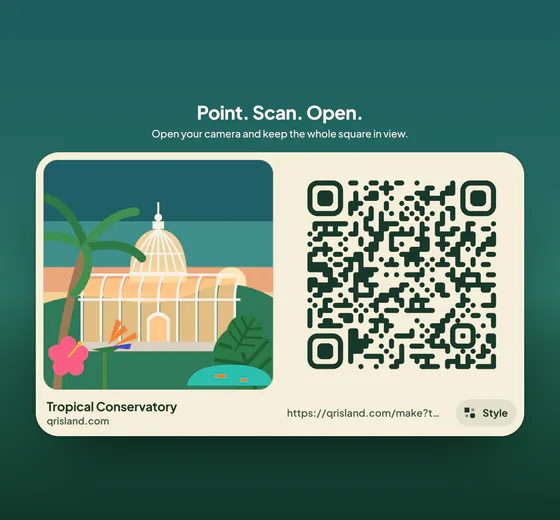
In the studio, choose WhatsApp and type your number with its country code. Spaces, brackets and a plus sign are fine; the studio turns them into the digits the link needs, and refuses a number that starts with 0, because that means the country code is missing. Add an optional message and pick a world.
Get QR code shows the flat code to print. Download it as PNG or SVG, or open the free print sheet. Free codes are made in your browser: your number is never sent to our server, and the code never expires.
A WhatsApp code is a web link, so it can also be an Editable code (US$19 a year): the printed code holds a short link that you can point at a new number or message later, with private daily scan totals. The island sign pack (+US$4.99, added to an Island pack or an Editable code) has a “Scan me” template whose headline you write yourself, such as “Chat with us on WhatsApp”.