For cafés, guesthouses & bars

Free Wi‑Fi QR code sign for your café or guesthouse

Guests point their phone camera at the code and join your Wi‑Fi. No more spelling out the password across the counter. Make it free in your browser, set it on a 3D island, and print it for the table, the bar or the room door.

Make my Wi‑Fi codeFree, no sign-up. Your password stays in your browser.

See the sign pack

Example table sign reading Free Wi‑Fi, with an island picture above a QR code

An example Wi‑Fi table sign, made with the sign pack.

Why a Wi‑Fi code

Less “what’s the password?”, more time for guests

  • Guests join in seconds

    Recent iPhone and Android cameras recognise a Wi‑Fi code and offer to join the network. No typing, and no guessing whether it’s a zero or an O.

  • Your password stays on your device

    A free code is made entirely in your browser. The network name and password are never sent to our server.

  • Made to scan

    The printable code keeps a clear border, and your colours are used exactly as you pick them: if one may be hard to scan, the studio warns you and offers a darker shade in one click.

  • A sign that looks cared for

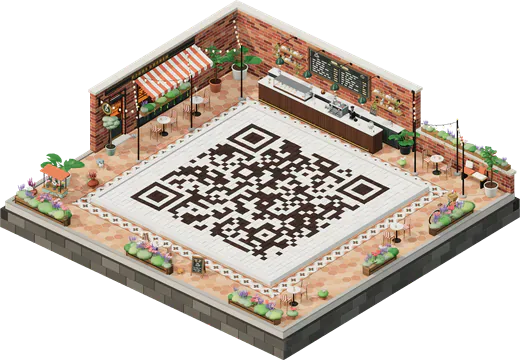
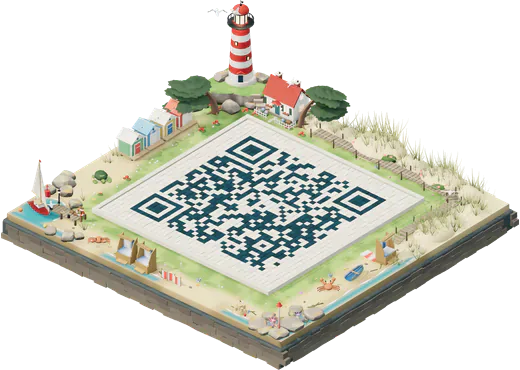
    Pick one of 25 worlds, from Lighthouse Cove to Moroccan Riad, and match your colours. It beats a black square taped to the till.

  • Print it your way

    Download PNG or SVG free, or add an island sign pack with a poster, flyers, a table tent, cards, stickers and a slide for your screen, in all four sign styles, to an Island pack.

  • Hidden networks too

    Tick “Hidden network” if your guest network doesn’t broadcast its name, and choose WPA, WEP or an open network.

How it works

Three steps, about a minute

  1. Enter your network

    Open the studio on Wi‑Fi, type the network name, pick the security type and add the password.

  2. Pick your island

    Choose a world and colours. The code in the middle of the courtyard updates as you type.

  3. Get the code and print

    Tap Get QR code for the flat, print-ready version and download PNG or SVG. Test it with two phones, then print.

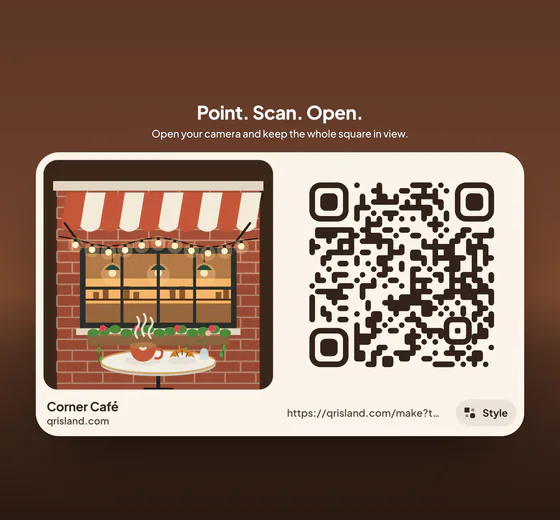
The flat, print-ready QR code as shown by Get QR code, next to the Corner Café world
The print-ready codeGet QR code shows the flat code on a card. For a Wi‑Fi code it never shows the password; instead it reminds you that anyone who scans can read it.
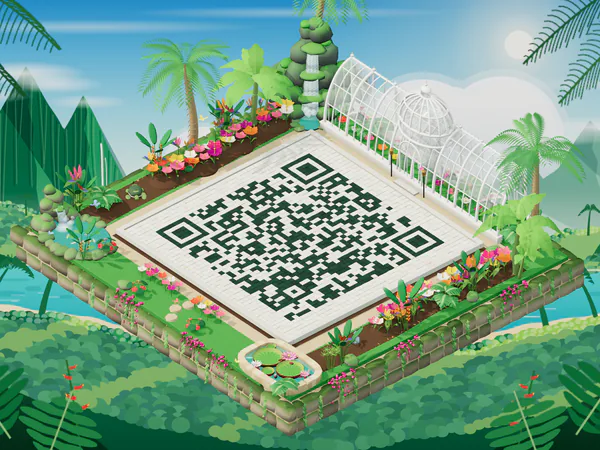
A QR code laid as a stone courtyard in the Tropical Conservatory world
Your code as an island courtyardDownload a screen-size picture of it (1600 × 1200), with a small corner mark, for a screen at your venue. Its code holds your password, so keep it off public posts.

Which one fits

For Wi‑Fi, free is usually enough

Upgrade only for print files with no credit or mark, or a ready-made printable sign.

For print runs

Island pack

For print runs, signs and packaging.

US$6.99one-time

  • Your island picture in print sizes, with no mark: Large print 12 × 9 in, a portrait Poster 18 × 24 in and a Wide poster 20 × 15 in, at 300 dpi
  • A 12-second island video for a screen at your venue
  • Your logo and styles in the print files, plus gradients and “Scan me” frames
  • Print-quality 4096 px PNG, SVG and a PDF print sheet on US Letter or A4

The island pictures and video show your code, password included: show them where your guests are, not in public posts.

Best for printed displays

Island sign pack

Added to an Island pack or an Editable code.

+US$4.99add-on

  • All four styles in one pack, each a PDF on US Letter or A4: a poster, flyers, a table tent, cards and stickers
  • Optional Wi‑Fi cards that also show the network name and password
  • A slide for your TV or screen in each style too (no story or post, so the password isn’t posted)
  • In your island’s colours, with your own headline

Choose the Wi‑Fi template: “Free Wi‑Fi”, with your own line under the code.

Not needed for Wi‑Fi

Editable code

For web links that change.

US$19a year

  • Change where the printed code points, any time
  • Private scan counts: a 30-day chart of daily totals
  • The Island pack included
  • Renews every year until you cancel; cancel any time

Editable codes are for web links. A Wi‑Fi code joins the network directly, so if you change the password, make a new code (it’s free) and reprint.

Prices in US dollars and include any sales tax. Sold by Paddle.com, our merchant of record. The studio always shows the current price before you pay. All prices

Wi‑Fi code FAQ

Safety, phones, and what to do when the password changes.

More answers in the full FAQ
Will it work on iPhone and Android?

Recent iPhones and most recent Android phones can join Wi‑Fi straight from the camera app (or Google Lens). Some older phones need a scanner app. Test your printed code with a couple of phones before you put it out.

Tip for Android guests: scan from the Wi‑Fi settings (the QR icon), or with the camera app. Your island shows a Wi‑Fi code square on, for that settings scanner.

Is it safe to put my Wi‑Fi password in a QR code?

Anyone who scans the code can join the network and can read the password, just as if it were printed on the sign. Use a separate guest network for customers, not the one your till or cameras use.

What if I change the password?

Make a new code (it’s free) and reprint. A Wi‑Fi code carries the password itself, so it can’t be changed after printing. Editable codes only work for web links.

How big should I print it?

A Wi‑Fi code with a typical network name and password can print as small as 2 cm wide; long names and passwords need a little more. The size hint beside the message bar shows the smallest safe width for your code, and the free Print sheet lays it out at true sizes. For a wall, window or poster that people scan from further away, go bigger: roughly a tenth of the scanning distance works well (about 10 cm wide for 1 metre). Always test a printed proof with two different phones before printing many.

Can I save my code and come back to it?

Yes: Saved keeps islands in this browser. A saved Wi‑Fi code includes its password and is stored unencrypted in the browser, so don’t save it on a shared computer.

Make your Wi‑Fi sign now.

Free, no sign-up, and your password never leaves your browser.