How a dynamic QR code works
A static QR code holds your link itself: https://yourcafe.com/menu is written into the pattern, so the code can only ever open that address. A dynamic code holds a short link instead, one of ours that starts with https://qrisland.com/r/, and our server forwards each scan to the address you’ve chosen. Change the address and every printed copy follows: the menus on the tables, the poster in the window, the labels on a box of jars.
That middle step is also what makes counting possible, and it’s why a dynamic code is a subscription anywhere you buy one: the forwarding has to keep running. Our guide to static vs dynamic QR codes covers the trade-off in more depth.
How to make one
- Open the studio and type the web address you want the code to open first.
- Pick a world and style your code in Style: shapes, colours and your logo.
- Choose Editable (beside Static, under the message bar), or press Get QR code and choose it there. The price is shown before you pay, tax included.
- Pay through Paddle, our merchant of record. Your code, its short link and your Island pack files appear straight away, and a private manage link arrives by email.
- Print the code. To change where it goes, open your manage link, type the new address and save, then scan it from your phone to check. The guide How to change where your QR code points walks through it.
What’s included
- Change the destination any time, as often as you like, from your manage link. There’s no account and no password: keep the link private.
- Private scan counts: a chart of daily totals for the last 30 days. We don’t store who scanned, or their IP address, device, location or browser, and bots and link previews aren’t counted.
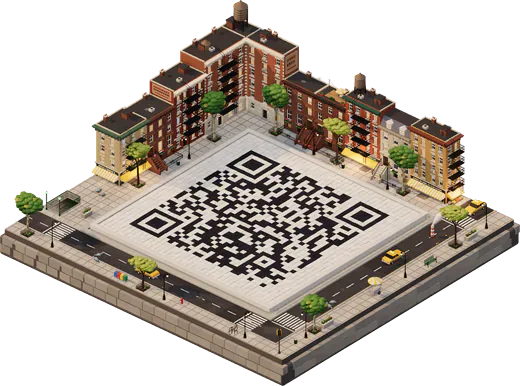
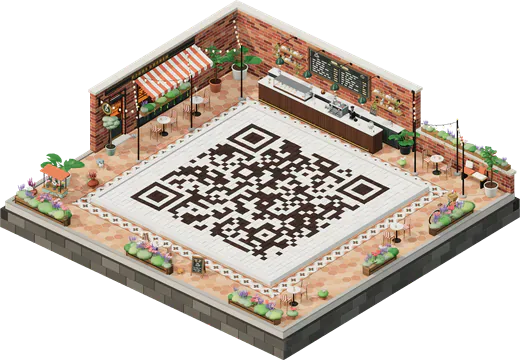
- The Island pack included: your island in print sizes at 300 dpi, a 12-second island video, and your code as a 4096 px PNG, an SVG and a PDF print sheet, without the credit line.
- A fresh look each year: one island refresh per paid year, with the same short link and printed codes.
- Yearly, through Paddle: US$19 a year, tax included, renewing until you cancel. We email you before each renewal.
When you need one, and when you don’t
| Situation | Best choice | Why |
|---|---|---|
| Printed menus whose web address may change | Editable code | Move to a new menu page or host without reprinting. |
| Packaging, labels or a large print run | Editable code | The print outlives any one web page. |
| A poster that should always open your newest offer or video | Editable code | Repoint it each month, and see how many people scan. |
| A link that won’t change, such as your home page | Free code | A static code never expires and costs nothing. |
| Guest Wi‑Fi | Free code | A Wi‑Fi code joins the network directly; Editable codes are for web links. |
| A contact card | Free code, or an Editable code to a contact page | A vCard holds the details themselves; to update them later, link to a page instead. |
If you stop paying
Every dynamic code depends on the company that forwards it, so it’s worth knowing exactly what happens at the end. If you cancel, or a renewal can’t be paid, the code keeps forwarding until the end of the year you paid for, and for a 14-day grace period after it. After that, scanning shows a page saying the code needs renewing. Starting a new yearly subscription from your manage link switches the same printed code back on.
Your print files stay downloadable while the code is active and during the grace period, so save copies. If your link will never change, a free static code is the safer choice: it depends on nobody.
Where it can point
Any lawful web address: a menu, a booking page, a PDF on your website, a video, a review page or a shop. Destinations are checked, and a code that forwards to phishing, malware or anything else the acceptable use rules forbid can be suspended at once. Editable codes are for web links only, so they can’t hold Wi‑Fi details, a contact card or a text message.