What a vCard code holds
A contact code holds a vCard, the standard text format phones use for contact cards. QR Island writes vCard 3.0, which reads like this:
BEGIN:VCARD
VERSION:3.0
N:Okafor;Maya;;;
FN:Maya Okafor
ORG:Okafor Studio
TEL:+1 202 555 0147
EMAIL:maya@okaforstudio.com
URL:https://okaforstudio.com/
END:VCARDNis the name in parts, last name first, which phones use for sorting;FNis the name as it is shown.ORGis the company,TELthe phone,EMAILandURLthe email address and website.NOTE, if you add one, is a line of free text, such as “Best reached before 10 am”.
The format can hold much more, from job titles to a photo, but every field adds to the code, and a photo alone is far too big for one. Put in what someone needs to reach you, and nothing else.
What phones do with it
The camera on recent iPhones and Android phones (or Google Lens) reads a contact code, shows the card, and offers to save it as a contact. Some older phones and scanner apps show the vCard as plain text instead; test with a couple of phones before you order a box of cards.
- Write the phone number in international format, with a plus sign and the country code, so it dials correctly from anywhere and messaging apps can match it to an account.
How big it prints
A contact card holds far more text than a link, so the code is denser and needs more space. Measured in our studio, at error correction level Q and at least 0.5 mm per module (0.75 mm from 57 modules):
| Card | Characters | Code version (modules) | Smallest print |
|---|---|---|---|
| Name and phone | 92 | 8 (49 × 49) | 2.5 cm |
| Name, phone and email | 121 | 9 (53 × 53) | 3 cm |
| Name, company, phone, email and website (the example above) | 171 | 11 (61 × 61) | 5 cm |
| The same with longer addresses and a one-line note | 273 | 15 (77 × 77) | 6 cm |
| A link to a contact page instead | 29 | 3 (29 × 29) | 2 cm |
A business card is about 85–89 mm wide and 51–55 mm tall, depending on the standard size where you print. A 5 cm code with its four-module margin is about 5.7 cm across, more than the card’s height, so a full card takes most of one side. The jump from 3 cm to 5 cm comes from crossing 57 modules. Name, phone and email at 3 cm fit beside your printed details; add the company and the website and the code wants the whole back.
The small alternative: a link to a contact page
A link code to a page such as okaforstudio.com/maya prints at 2 cm, and the page can do more than a vCard: your photo, your office address and map, a booking link, and a “Save contact” button that downloads a .vcf file, which most phones offer to add to contacts. You can also change the page whenever your details change.
The trade-offs: the page needs a website and a connection, and saving takes one more tap. For a card handed out at a conference, the vCard is quicker. For a card that should last years, the contact page ages better.
When your details change
A vCard code holds the details themselves. A new number, a new job or a new email address makes every printed card out of date, and the only fix is to reprint. A dynamic (editable) code can’t help here, because there is no link to repoint. And anyone who has already saved you keeps the old details: nothing can update the contacts on their phone.
If your details change often, print a link to a contact page on your own domain and keep the page current.
Keep your home address off it
Anyone who picks up the card can read the code, and cards get left on tables and photographed at events. Put work details on it: a work number, a work email, the business address if you have premises. Leave out your home address, and a personal mobile you wouldn’t print on a flyer. QR Island’s contact form has no address field; if clients need an address, print it as text or put it on your contact page.
Print and test
- Print a proof on the real card stock at 100% scale, and measure the code.
- Keep the code flat and dark on a light background. Don’t foil, emboss or spot-varnish the code itself: shine and relief confuse cameras.
- Scan it with an iPhone and an Android phone, save the contact, and check every field landed in the right place: name, company, number, email and website.
Make it in QR Island
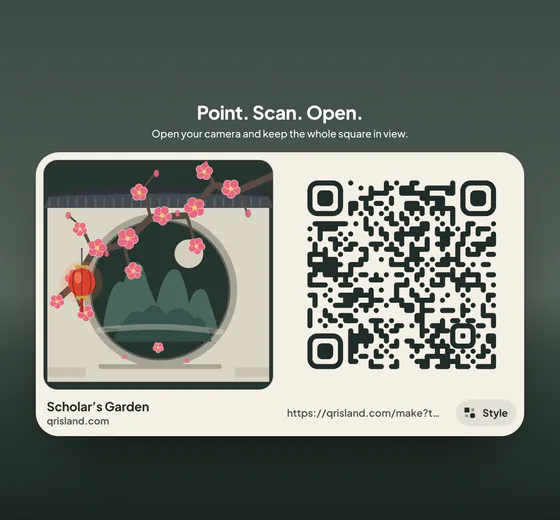
In the studio, choose Contact and fill in a first or last name (one is required), then the organisation, phone, email, website and note you want. The studio writes the vCard, checks the email address and website, and the size hint beside the message bar shows the smallest safe print width as you type.
Get QR code shows the flat code to print, with PNG and SVG downloads and the free print sheet. Free codes are made in your browser and your details are never sent to our server. A logo in the middle switches the code to error correction level H, which makes it denser: the full card above goes from version 11 to 13 and from 5 to 5.5 cm. The Island pack (US$6.99, one-time) gives your printer print-quality files of your styled code: a 4096 px PNG, an SVG and a PDF print sheet.