No sign-up, and no trial that runs out
Plenty of “free” QR code generators ask for an email address first, or quietly make a dynamic code that stops working when a trial ends. QR Island has no accounts at all. A free code is a static QR code: what you type goes straight into the pattern, with no short link in between, so there’s nothing that can be switched off later. Our guide Do QR codes expire? explains the difference in detail.
- No account and no email address for a free code, ever.
- No trial: a free code never turns into a paid one, and nothing is deactivated after a few days.
- Made in your browser: links, Wi‑Fi passwords and contact details you type are never sent to our server.
- No ad trackers and no cookies for visitors.
- Free for business use: you may use the codes you make, free or paid, for personal or business purposes, as our terms say.
What’s free
- Every code type: link or plain text, Wi‑Fi, contact card (vCard), email, phone, SMS, WhatsApp, map location and calendar event.
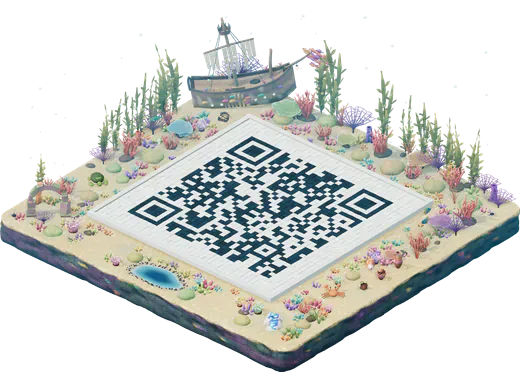
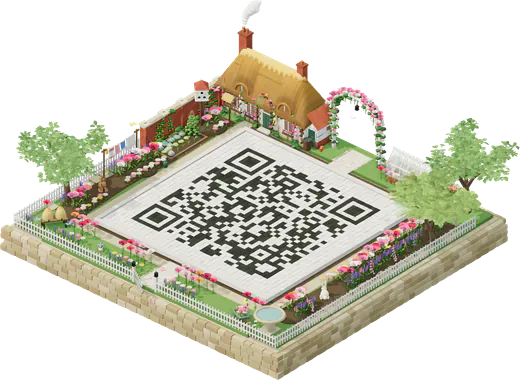
- All 25 worlds, with your code as the island’s courtyard.
- Your design: 11 module shapes, corner styles, any colours and your logo.
- Downloads: the flat code as PNG (1024 px, marked 300 dpi so it opens at about 8.7 cm in layout apps) and as SVG, which scales to any size.
- A print sheet on US Letter or A4 that lays your code out at true sizes, from its smallest safe size up, each with roughly how far away it scans.
- An island picture at screen size, 1600 × 1200 px, for posts and websites.
- Saved islands in your browser, to come back to later.
The one thing to know: a small credit line
Free PNG and SVG files carry a small “Made with QR Island” line under the code, and the free island picture has a small mark in one corner. Nothing is drawn over the code itself, so it doesn’t affect scanning. If you need files without them, the Island pack (US$6.99, once) has the same design as a 4096 px PNG, an SVG and a PDF print sheet with no credit, plus your island in print sizes and a 12-second video.
How to make a free QR code
- Open the studio. There’s no sign-up screen: an example link is ready to replace.
- Choose the code type (Link is first) and type your content.
- Pick a world and, if you like, a shape, colours and your logo in Style.
- Press Get QR code, then download PNG or SVG, or open the print sheet.
- Test the printed code with two phones before you print many. Our guide on testing a QR code lists what to check.
The honest limits of a free code
A static code is simple and permanent, and that has consequences worth knowing before you print a thousand menus:
- You can’t change it after printing. The content is the code. If a link might change, point the code at a page you control, or use an Editable code.
- There are no scan counts. Nothing passes through our server, so there’s nothing to count.
- It’s only as permanent as where it points. If the web page goes away or the domain lapses, the code leads nowhere. A Wi‑Fi code stops working when you change the password.
Our guide to static vs dynamic QR codes helps you choose.
What costs money, and why
| Option | Price | What it adds |
|---|---|---|
| Island pack | US$6.99 once | Your island in print sizes at 300 dpi with no mark, a 12-second island video, and print files of your code without the credit line. Gradients and “Scan me” frames. |
| Editable code | US$19 a year | A web-link code you can point somewhere new after printing, with private daily scan counts. The Island pack is included. |
| Sign pack | +US$4.99 add-on | Printable posters, flyers, a table tent, cards and stickers with your island and code. |
Prices are in US dollars and include any sales tax. If you never need those, you never pay: the free code is the whole product for most people.