

For restaurants, cafés, bars & food trucks

QR code menus for restaurants and cafés

Put your menu on every table without reprinting it. Link a QR code to the menu you already have online, set it on a 3D island, and if the menu’s web address might change, use an Editable code (US$19 a year) you can repoint any time.

Make my menu codeFree, no sign-up

Compare options

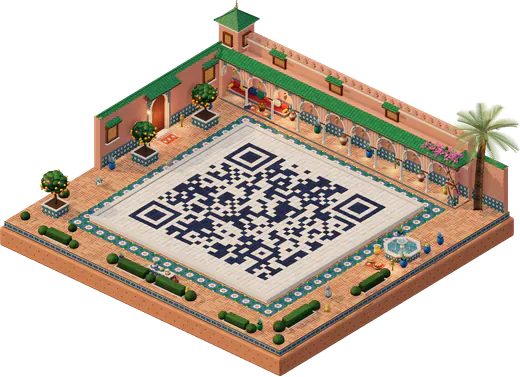
A QR code laid as the tiled courtyard of a Moroccan riad with orange trees and a fountain at golden hour
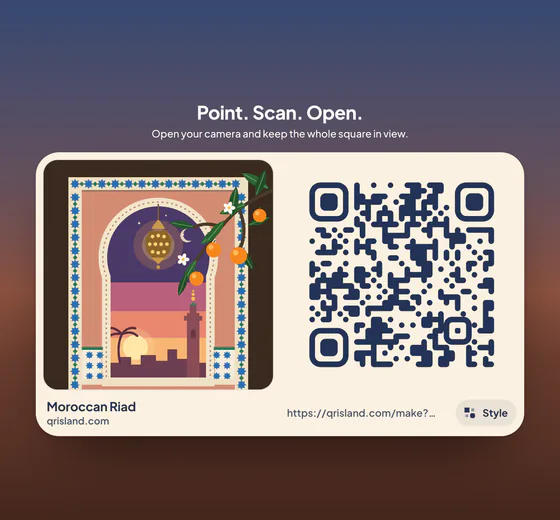
The flat, print-ready menu QR code on a card

Moroccan Riad at golden hour, and the flat code you print.

Made for restaurants, cafés and bakeries, bars, beach bars, food trucks and pop-ups, and hotel dining and room service.

Why a menu code

One scan from table to menu

QR Island doesn’t host your menu. Link to one you already have: your website, a PDF online, or your Facebook or Instagram page.

  • Works with the menu you have

    Any web address works: a menu page, a PDF in cloud storage, a Facebook post or a WhatsApp catalogue link.

  • Change the menu, keep the code

    With an Editable code you change where the printed code points, any time. The next scan goes to the new address.

  • Private scan counts

    Editable codes show a 30-day chart of daily scan totals. We never store who scanned, their IP address or their device.

  • Made to scan on every table

    A clear border, and a warning if your colours may be hard to scan. Island pack code files are decoded on our server before you download them.

  • Your logo in the middle

    Add your logo and choose dot and corner styles. You can download your styled code as PNG or SVG free, or buy the print files.

  • A world that suits the room

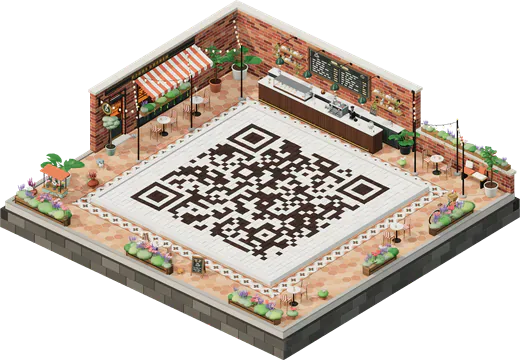
    Corner Café for a coffee shop, Lighthouse Cove for a beach bar, Olive Courtyard for a Mediterranean kitchen: 25 worlds to choose from.

How it works

Three steps to a table-ready code

  1. Paste your menu link

    Open the studio on Link and paste the web address of your menu. Check it opens on your phone first.

  2. Style your island

    Pick a world and colours. Tap Add your logo to put your logo in the middle and preview the code.

  3. Download, or make it editable

    Download free PNG or SVG, or buy print files. Choose Editable if the menu address might change. Add a sign pack for table tents.

The flat, print-ready menu QR code as shown by Get QR code, next to its world
The code you printFlat, high-contrast and ready for the table.
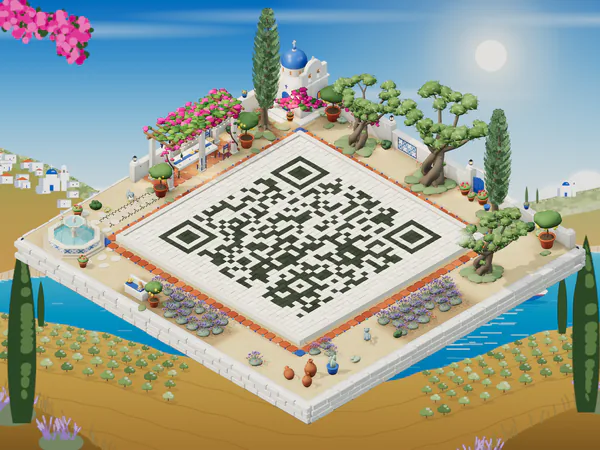
A QR code courtyard in the Olive Courtyard world with olive trees and a tiled fountain
Olive CourtyardOlives, cypress and a tiled fountain for a Mediterranean kitchen.

Which one fits

Does your menu change?

If your menu’s web address never changes (say, a page on your own website that you update), a free code is enough. If the address itself might change, choose an Editable code.

Always free

Free code

For a menu page whose address stays the same.

US$0

  • Every code type: link, Wi‑Fi, contact, WhatsApp and more
  • PNG and SVG downloads
  • Your styled code with your logo, free as PNG or SVG
  • A screen-size picture of your island (1600 × 1200) for posts and websites, with a small QR Island mark
For a fixed menu link

Island pack

For a fixed menu link, printed large and sharp.

US$6.99one-time

  • Your island picture in print sizes, with no mark: Large print 12 × 9 in, a portrait Poster 18 × 24 in and a Wide poster 20 × 15 in, at 300 dpi
  • A 12-second island video for Reels and Stories
  • Your logo and styles in the print files, plus gradients and “Scan me” frames
  • Print-quality 4096 px PNG, SVG and a PDF print sheet on US Letter or A4

Best for table tents

Island sign pack

Added to an Island pack or an Editable code.

+US$4.99add-on

  • All four styles in one pack, each a PDF on US Letter or A4: a poster, flyers, a table tent, cards and stickers
  • Story, post and screen pictures in each style too
  • In your island’s colours, with your own headline
  • Templates for Wi‑Fi, menus, events and “Scan me”

Choose the Menu template: “Scan for our menu”, or write your own headline.

Prices in US dollars and include any sales tax. Sold by Paddle.com, our merchant of record. The studio always shows the current price before you pay. All prices

Menu code FAQ

Hosting, changes, cancelling and how big to print.

More answers in the full FAQ
Do you host my menu?

No. Your code links to a menu you already have online: your website, a PDF in cloud storage, or a social media page. Make sure the link is public and opens on a phone without signing in.

Can I change the menu after printing the code?

With an Editable code, yes: change where it points at any time from the private manage link in your receipt. With a free code or an Island pack the link is fixed, but you can still update the page it points to.

What happens if I cancel the Editable code?

An Editable code renews every year until you cancel, and we email you about 30 days before each renewal. Cancel any time from the manage link: nothing more is charged and the code keeps working to the end of the year you paid for, then for a 14-day grace period; after that, scanning shows a page saying the code needs renewing. Start a new subscription any time and the same printed code works again.

Can I see how many people scanned it?

Editable codes show a 30-day chart of daily totals. We count scans only as daily numbers: no IP addresses, devices or locations. Bots and link previews aren’t counted.

How big should the code be on a table tent?

A short menu link can print as small as 2 cm wide, and 3–4 cm is comfortable on a table tent. Codes that hold more need more room: the size hint beside the message bar shows the smallest safe width for yours, and the free Print sheet lays it out at true sizes. For a wall, window or poster that people scan from further away, go bigger: roughly a tenth of the scanning distance works well (about 10 cm wide for 1 metre). Always test a printed proof with two different phones before printing many.

Put your menu on every table.

Start free. Upgrade to an Editable code only if your menu’s address will change.