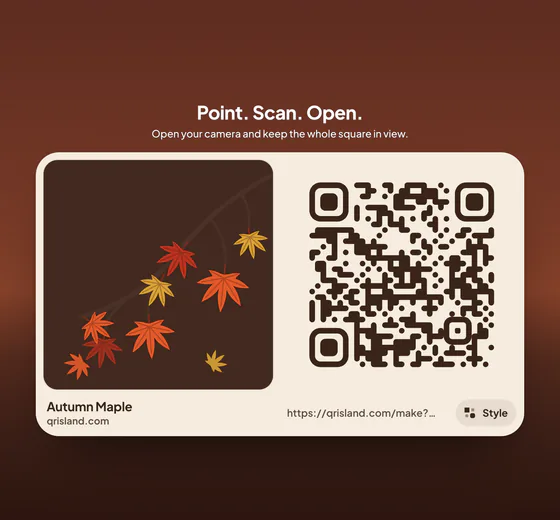
A spooky playlist on the front door
A code on the front door or by the drinks that opens the party playlist is the easiest one to get right. Make the playlist in whichever music app you use, copy its share link from the app, and put that link in the code. A typical playlist link is 50–60 characters, which makes a simple code that could print as small as 2 cm. On a door read from a metre away, make it about 10 cm wide.
Check two things first. Some music services only play a full playlist to signed-in listeners, so open the link on a phone that isn’t signed in to your account and see what a guest sees. And if your app has collaborative playlists, switch that on and say so under the code: “Scan to add a song” gives people a reason to scan.
A trail of clue codes
A trail of codes turns a garden, a house or a hall into a hunt: each code gives the clue to where the next one is hidden, and the last one reveals the prize. There are two ways to hold the clues.
- Text in the code itself. A clue such as “Clue 3: Look under the old wheelbarrow by the gate.” is 51 characters and fits in a small, simple code. It needs no internet, so it works at the bottom of a garden with no signal. The catch is that phones handle plain text differently: some show it straight away, others offer to search the web for it. Try it on the phones your players will use.
- A link to a page. Each code opens a short web page with the clue, a picture or a sound. You can change clues up to the last minute without reprinting, but every player needs mobile data or your Wi‑Fi.
Number the codes (“3 of 8”) so players know they haven’t missed one, and hang them about a metre off the ground so children can reach them with a phone. A code read from 30–50 cm needs to be 3–5 cm wide. Outdoors, slip each one into a clear plastic sleeve or a matte laminating pouch: dew softens paper overnight, and gloss reflects torchlight straight back into the camera.
A costume contest vote
Give each costume a numbered sticker, then put a code by the photo spot that opens a one-question form, “Which costume wins?”, with the numbers as the choices. Any online form tool can do this, and the results arrive on your phone as people vote.
Stopping people voting twice is harder than it sounds. Most form tools can limit each person to one response, but usually by making voters sign in, which loses votes at a party. For friends and family an open form is fine: look over the results for a burst of identical votes before you announce the winner. Close the form at a set time and put that time on the sign. If children are voting, don’t ask for names or email addresses.
A form link is short, so a code 5–10 cm wide reads comfortably from half a metre to a metre away.
A map for a pumpkin patch or a trick-or-treat route
At a pumpkin patch or a farm event, a code at the entrance can open a page with a map of the field, prices, parking, toilets and the time of the last tractor ride. A page beats a photo of a map because you can update it through the season: a variety sold out, a muddy field closed, an extra date added.
For a single spot, such as the car park entrance or a meeting point, a location code is simpler. It holds the coordinates and opens straight in the phone’s map app. Pin the entrance you want people to use, not the middle of the farm.
For a neighbourhood trick-or-treat route, a shared custom map of the houses taking part works well, as long as every household on it has agreed to be listed. Entrance signs are read by people walking up from 2–3 metres away, so make those codes 20–30 cm wide. Our guide to QR code size for printing explains the numbers.
Invitations that add themselves to the calendar
A calendar code holds the party’s title, start and end time and address, and phones offer to add it to the calendar when it’s scanned. It is dense, though: an event with a location and a line of details needs a grid of about 73 × 73 modules and at least 5.5 cm of paper. On a small invitation, a link to a page with the details, or to an RSVP form, prints smaller and lets you change the start time later.
Dark designs that still scan
Halloween artwork is black, purple and orange, and that’s where codes go wrong. A scanner looks for dark modules on a light background with a big difference in brightness between them. The hue hardly matters; the contrast does.
| Code on background | Contrast | Verdict |
|---|---|---|
| Deep purple #2A1C2E on cream #F4ECDF | 13.7:1 | Scans anywhere |
| Black on pumpkin orange #F28C28 | 8.6:1 | Scans well |
| Pumpkin orange #F28C28 on white | 2.5:1 | Unreliable |
| Orange #F28C28 on black (an inverted code) | 8.6:1 | Some phones and apps can’t read it |
So keep the code dark and put it on a light panel inside your design: cream, white or pale orange, running at least four modules beyond the code on every side. A black code on a pumpkin-orange panel looks the part and scans well. The reverse, orange or white modules on black, is the risky one. The QR standard allows these inverted codes and many phone cameras read them, but not every phone or scanner app does. If you want one anyway, test it on several phones, including an older Android phone, before you print.
Glow-in-the-dark paint, neon on black and metallic or holographic card fail for the same reasons: too little contrast, or glare. Our guide to QR code colours has more examples.
Scanning after dark
Phone cameras need light to see small squares. On a dark porch the camera turns up its sensitivity, the picture gets grainy and blurred, and the scan is slow or fails. Light the code: a porch light, or a small battery LED aimed at it from the side. Light from straight in front, including the phone’s own torch, bounces off gloss and laminate into the lens, so tilt the sign a little or use matte materials.
Go a size up from the usual distance rule for anything read at night, and test it where it will hang, after dark, with two phones. If there will be a smoke machine, check again once it’s running: haze cuts contrast.
At a public event, look at your codes now and then to make sure nobody has stuck a different code over them, and link only to pages you run or trust.
Make it in QR Island
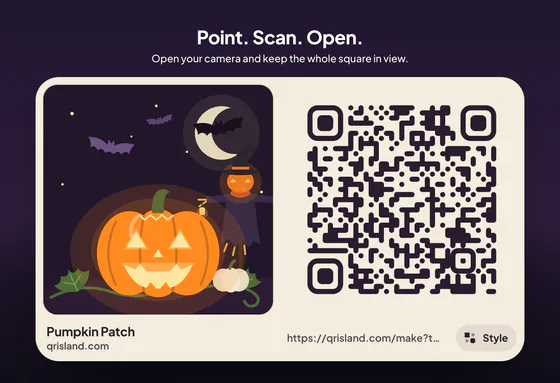
In the QR Island studio, choose Link and paste a playlist, form or map link, or type a clue as plain text in the same box. Location makes a map pin from coordinates, and Event makes the calendar invitation. The Pumpkin Patch world sets your code on a moonlit pumpkin farm and colours it to match, in the deep purple on cream from the table above.
Get QR code shows the flat code on a card, ready to scan. From there you can download it as PNG or SVG for free, or open the print sheet, which lays it out at true sizes with roughly how far away each size scans from. The island sign pack (+US$4.99, added to an Island pack) has a “Scan me” template with a poster, flyers, a table tent, cards, stickers and screen pictures in all four sign styles, and its Cut-out style puts the island alone on white paper to save ink, which suits a night world.