Step 1: put the menu online
A QR code only points to something; the menu has to live online, at an address that stays the same. QR Island doesn’t host files, so you need one of these:
- A page on your own website, such as
yourname.com/menu. If you have a site, this is the strongest option: it loads quickly, reads well on a phone, can be updated without touching the code, and search engines can read your dishes too. - Your menu on a listing you already keep up to date, such as your Google Business Profile or a booking platform, if it shows the full current menu. Convenient, but you don’t control its address.
- A PDF on your website or a file-sharing service. Quick to set up, but PDFs are awkward on a phone; see below. On a file-sharing service, set the file to “anyone with the link can view”.
Whatever you choose, open the address on your own phone, over mobile data and not your Wi‑Fi, before you make the code. If it asks for a login, asks for access, or downloads a file instead of showing it, your guests will hit the same wall.
A web page beats a PDF
A PDF laid out for printing shows tiny text on a phone and makes people pinch and scroll sideways. If you use one:
- Make a phone version: one column, A5 or narrower, with large type (at least 12 pt for dishes and more for headings).
- Keep it small, ideally under 2 MB, so it opens quickly on a weak signal. Export photos at screen resolution, not print resolution.
- Use real text, not a scan or photo of the printed menu. Screen readers can read text aloud, and guests can zoom it without blur.
- Replace the file, don’t re-upload it. Upload new versions under the same address so the code keeps working. On file-sharing services, “replace” or “manage versions” usually keeps the link, while uploading a new file usually makes a new one.
A plain web page avoids all of this, and it can still offer the PDF as a download for anyone who wants it.
Static or dynamic?
If the menu lives at an address you control and keep, like yourname.com/menu, a free static code is all you need. Update the page, and every printed code shows the new menu.
Choose a dynamic (editable) code if the address might change: a PDF on a file-sharing service, a delivery app listing, or a seasonal page with a new name each time. You then change where the code points from your account, and the printed table tents stay on the tables. Our guide to static and dynamic QR codes goes into the trade-offs and costs.
Table tents, stickers and sizes
Guests scan a code on the table from 30–50 cm away. By the usual rule of a tenth of the distance, that’s a code 3–5 cm (1.2–2 in) wide. A short link is comfortable at 3 cm; give a long address more room, or shorten it.
- Stand it up. A folded table tent or an angled stand catches less glare than a sticker lying flat under a pendant lamp.
- One on every table, plus one at the door or the counter for people waiting.
- Say what it does. “Scan for the menu” beats an unlabelled square. Print the web address under it in text for anyone who can’t scan.
- Use matte card or matte lamination. Gloss reflects overhead lights straight into the camera.
- Make it wipeable. Laminated card or a plastic stand outlasts plain paper in a dining room.
- Test at the darkest table, in the evening light, with a phone that isn’t yours.
Accessibility and the printed backup
Not every guest can or wants to use a phone to read the menu. Some have no data or a flat battery, some don’t own a smartphone, and some find small screens hard to read. Treat the QR menu as an option beside the printed one, not a replacement for it.
- Keep printed menus, including a large-print copy, and offer them without waiting to be asked.
- On the menu page, use real text with good contrast and a readable size, with a heading for each section.
- Give allergen and dietary information in words, not only as icons or colours.
- Show prices, and keep them the same as on the printed menu.
- If the dining room has poor mobile signal, offer guest Wi‑Fi on the same card. A Wi‑Fi code beside the menu code works well; see how to make a Wi‑Fi QR code.
Keep it working
Scan one of the printed codes whenever you change the menu or the website. A website redesign that moves /menu to /food breaks every printed code that pointed to the old address, unless whoever builds the site sets up a redirect from the old address to the new one. If you don’t control the website yourself, that alone is a good reason to use a dynamic code.
It also pays to check the page on a phone after every menu change: a new PDF exported at print resolution, or a page that now asks visitors to accept cookies before showing anything, can turn a quick scan into a frustrating wait.
Make it in QR Island
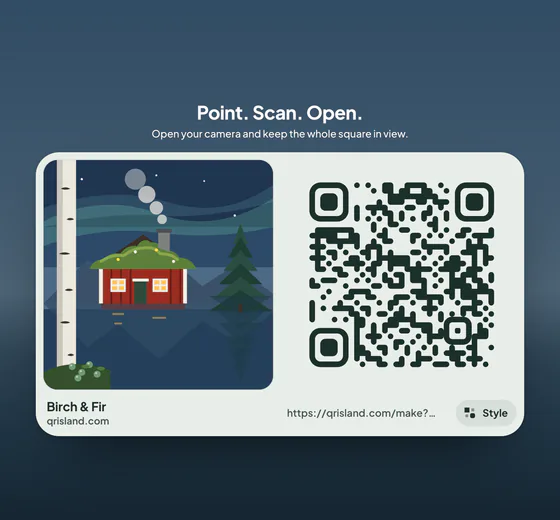
In the studio, choose Link, paste your menu’s address, and pick a world that suits your dining room, such as Corner Café, Olive Courtyard or Moroccan Riad. Get QR code shows the flat, print-ready version; download it as PNG or SVG, or print it at the size you need from the print sheet. All of that is free.
For a menu address that may change, an Editable code (US$19 a year) prints a short link you can repoint from its manage link, with private daily scan counts. The island sign pack (+US$4.99, added to an Island pack or an Editable code) has a Menu template: a PDF in each of its four styles with a poster, flyers, a table tent, cards and stickers, plus story, post and screen pictures, each showing your island with your code and carrying one checked code to scan: where the island prints big enough, the island itself.