At a glance
As of 6 October 2026. QR Island’s prices are today’s and include tax.
| Feature | QR Island | Canva |
|---|---|---|
| Price | Free codes; paid extras from US$6.99 once | Its QR code generator is free; some options need a paid plan |
| Code types in its own tools | 9: link or text, Wi‑Fi, contact card, email, phone, SMS, WhatsApp, location, event | Web links; other types come from third-party apps in Canva |
| Static codes | Shapes, corner styles, colours and your logo, free | Free: foreground and background colour and margin, with no Canva logo |
| Dynamic codes | Editable code: US$19 a year, with private daily scan counts | Free, with patterns, corners and colours; a Canva logo by default on the Free, Pro and Education plans |
| Your own logo in a dynamic code | Included | Business and Enterprise plans |
| Scan analytics | Private daily totals for 30 days, included | Insights on Business and Enterprise plans |
| Expiry | Free codes never expire; an Editable code runs while subscribed, plus 14 days | Codes don’t expire unless you set a date (a Business and Enterprise option), and may be deactivated if the linked content breaks Canva’s guidelines |
| Downloads | PNG and SVG free, with a small credit line; PDF print sheet in the Island pack | PNG, JPG, SVG and PDF listed; SVG downloads and transparent backgrounds need a paid plan |
| Around the code | A 3D island for the code, 25 worlds | A full design editor and templates for the flyer, poster or menu the code goes on |
Where Canva is the better pick
- The whole design in one place. Canva’s editor and templates make the flyer, menu or poster around the code, and it can print and deliver it. QR Island makes the code and its island, and leaves the layout to you.
- Free dynamic codes. Canva’s dynamic codes are free, with a Canva logo on the free plan. QR Island’s Editable codes are paid.
- Change one link everywhere. Updating a dynamic code’s link updates it in every Canva design that uses it.
- Team features on Business plans: analytics, expiry dates and collaborators who can edit codes.
Where QR Island is different
- More code types, built in: Wi‑Fi, contact cards, WhatsApp, phone, SMS, email, map locations and calendar events, as well as links.
- Your logo and custom shapes in a free code, with an SVG download, also free.
- No account: free codes are made in your browser, and what you type never reaches our server.
- Scan checks while you design, a print sheet at true sizes, and the size hint for your code’s smallest safe print.
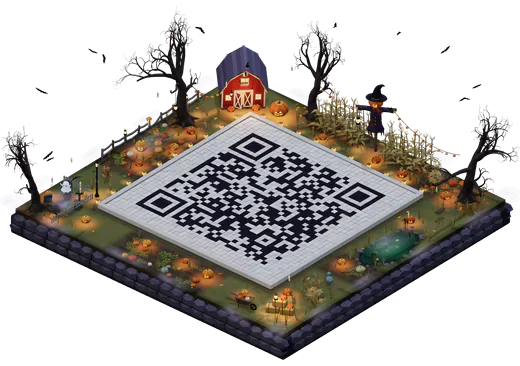
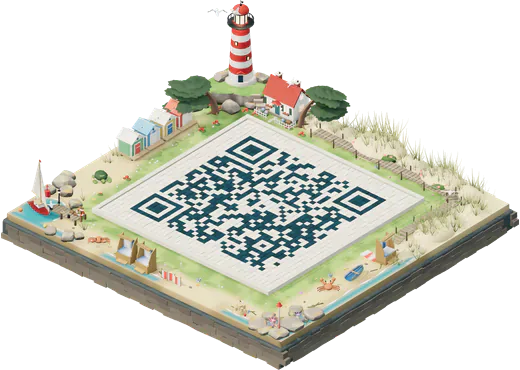
- The 3D island: your code as the courtyard of one of 25 worlds, for posts, screens and posters. See the 3D QR code generator.
Using both
The two work well together. Make your code in QR Island, download the SVG or the island picture, and place it in your Canva design. Keep the light margin round the code, don’t put it over a busy background, and scan a printed proof with two phones. Our guide on testing a QR code has the checklist.
Sources
Read on 6 October 2026. Features and plans change; check each site before you decide.
- Canva: QR code generator page and FAQ (free use, downloads, expiry, deactivation), help: create and manage QR codes (static and dynamic codes, design options, the Canva logo, plans for logos, Insights and expiry dates), Wi‑Fi QR code page (third-party app), and help: downloads and plan limits (SVG and transparent backgrounds).
- QR Island: our pricing, FAQ and privacy policy.
Canva is a trademark of its owner. QR Island isn’t affiliated with Canva, and this page uses its name only to compare the two.